

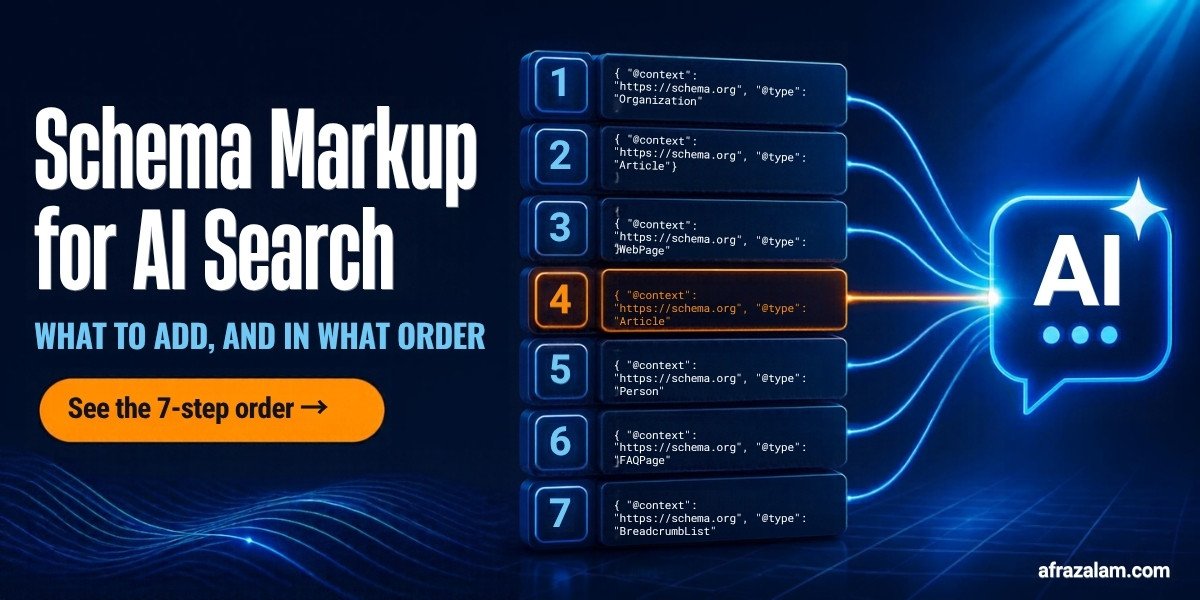
Schema markup for AI search does one job: it confirms facts the engines are already trying to verify, so ChatGPT, Perplexity, and Google AI Overviews stop hedging about who you are, what you sell, and when you last updated the page. It does not get you cited on its own. Add it in this order: Organization and Person first, then WebSite and BreadcrumbList, then Article with author and dates, then FAQPage, then Service or Product, then HowTo and ItemList, and validate the served HTML every time you save.
Google's own documentation says there is "no special schema.org structured data that you need to add" to appear in AI Overviews. People read that line and conclude schema is dead for AI search. They are wrong, and the mistake costs them. Schema is not the lever that gets you into the answer. It is the thing that stops the engine from describing you incorrectly once you are in it.
This guide gives you the order I add it in, what each type is for, and the check most people skip.
In this guide
- What schema markup for AI search actually does, and what it does not
- The order to add it, 7 steps
- A minimal, correct example from this site
- Which schema a DTC brand, a coach, and an HVAC company need
- 5 mistakes that make schema worthless
- How to check it actually shipped
- What I am not sure about
- The verdict
What schema markup for AI search actually does, and what it does not
All 3 engines retrieve pages first and write answers second. I broke that down in how ChatGPT, Perplexity, and AI Overviews choose their sources. Schema plays no part in the retrieval step. Your page gets pulled because it ranks in Bing, matches the question in Perplexity, or ranks for a fan-out query in Google. Markup does not change any of that.
Schema matters at the next step, when the model decides what to say about you. An engine that finds your About page, your Google Business Profile, and a directory listing with 3 different descriptions of your business hedges or picks one at random. An Organization block with the same name, URL, logo, founder, and service area as every other source removes the doubt. The same goes for dates: a dateModified in your Article markup that matches the visible "Last updated" line tells Perplexity the page is current, and Perplexity weights freshness hard.
So the honest summary: schema confirms, content earns. If the page does not answer the question in the first 100 words, no markup saves it. If it does, markup is what keeps the engine from quoting the wrong price or the wrong city.

The order to add it, 7 steps
Use JSON-LD, one block per type, in the page head or body. Google, Bing, and schema.org all prefer it over microdata, and it is the only format you can add without touching the visible HTML.
- Organization (or LocalBusiness) and Person, on the homepage and About page. This is the entity the engines try to pin down before anything else. Include name, url, logo, description in plain buyer language, founder as a Person with a URL, sameAs links to your real LinkedIn, Instagram, and any directory profiles, and areaServed. A local trade uses LocalBusiness (or the specific type, HVACBusiness, Plumber, Electrician) with address, telephone, openingHours, and priceRange. A solo consultant adds a Person block with jobTitle, worksFor, and sameAs. Every fact here must match the visible page and the Google Business Profile exactly.
- WebSite and BreadcrumbList, sitewide. WebSite names the site once and ties the pages together. BreadcrumbList on every inner page gives the engines the hierarchy (Home, Blog, this article) so they describe the page in context. Both are 10 minutes of template work and both are stable, so they go in before anything page-specific.
- Article or BlogPosting on every post. headline, author as a Person with a URL (not a plain string), datePublished, dateModified, image, publisher, and mainEntityOfPage. The author and the 2 dates are the fields that matter for AI search. An article with an author who resolves to a real Person entity and a dateModified that matches the visible date reads as maintained and accountable. An article with author "admin" and no dates reads as abandoned.
- FAQPage, only where you have a real visible FAQ. One Question entity per question, with the exact text that appears on the page, answers 40 to 90 words each. Google stopped showing FAQ rich results for most sites in August 2023, so do not add this for the SERP. Add it because the question and answer pairs are the format every engine lifts from, and the markup labels them unambiguously.
- Service (service businesses) or Product and Offer (DTC). Service with name, provider, areaServed, and a description that says who it is for. Product with name, image, brand, description, and an Offer carrying price, priceCurrency, and availability. This is the block that stops ChatGPT quoting your 2024 price in 2026, because it gives the engine a single, dated, machine-readable price to prefer over a cached listicle.
- HowTo and ItemList for process and ranked content. HowTo for step-by-step pages (steps with name and text, totalTime if it is real). ItemList for ranked or numbered lists with sequential position values. Google removed HowTo rich results in September 2023, so again, this is not for a SERP feature. It labels structure the models already extract, and it costs nothing once the template exists.
- Validate the served HTML, and re-check after every save. Paste the live URL, not your editor's preview, into Google's Rich Results Test and the Schema.org validator. Then make it a habit: every time anyone edits or republishes the page, fetch the live URL and count the JSON-LD blocks. Step 7 exists because of what happened on this site, covered in the mistakes section below.
Steps 1 and 2 are template-level and happen once. Steps 3 to 6 are per page. Step 7 is forever.
A minimal, correct example from this site
This is the entity block behind this site and the article block behind this page, trimmed to the fields that matter. Both are real, both match the visible pages, and both validate. Copy the shape, not the values.
{
  "@context": "https://schema.org",
  "@type": "Organization",
  "name": "Afraz Alam Marketing Services",
  "url": "https://afrazalam.com/",
  "logo": "https://afrazalam.com/images/main-logo.webp",
  "description": "Digital marketing consultant helping businesses generate leads and sales with SEO, Google Ads, Meta Ads, website development, and AI marketing.",
  "founder": {
    "@type": "Person",
    "name": "Md Afraz Alam",
    "url": "https://afrazalam.com/about/",
    "jobTitle": "Digital Marketing Consultant",
    "sameAs": ["https://www.linkedin.com/in/mdafrazalam", "https://www.instagram.com/afrazalammarketingservices/"]
  },
  "areaServed": "United States"
}
{
"@context": "https://schema.org",
"@type": "Article",
"headline": "Schema Markup for AI Search: What to Add and in What Order",
"author": { "@type": "Person", "name": "Md Afraz Alam", "url": "https://afrazalam.com/about/" },
"publisher": { "@type": "Organization", "name": "Afraz Alam Marketing Services", "url": "https://afrazalam.com/" },
"datePublished": "2026-10-06",
"dateModified": "2026-10-06",
"mainEntityOfPage": "https://afrazalam.com/blog/schema-markup-for-ai-search/"
}3 things to notice. The author is a Person with a URL, not a string. The dates are real and match the visible "Last updated" line. The description in Organization is the same sentence the homepage's WebSite block already uses, and it should be the sentence on the Google Business Profile and the LinkedIn page too, which is the whole point of the block: 1 sentence, everywhere, so the engines stop guessing.
Schema markup for AI search is this boring on purpose. The value is in the consistency, not in the number of types you stack on a page.

Which schema a DTC brand, a coach, and an HVAC company need
| Type | DTC brand | Coach or consultant | HVAC, plumbing, electrical |
|---|---|---|---|
| Entity | Organization with brand, logo, sameAs to Instagram, Amazon store, review profiles | Person with jobTitle, worksFor, sameAs to LinkedIn, podcast appearances | HVACBusiness (or Plumber, Electrician) with address, telephone, openingHours, areaServed by city |
| Money page | Product with Offer: price, currency, availability, brand | Service with provider, areaServed United States, description naming the client type | Service per job type (AC repair, water heater replacement) with areaServed and priceRange |
| Content | Article on guides, FAQPage on product and sizing questions | Article with Person author, FAQPage on "how does your method work" | Article on symptom guides, FAQPage on cost and timing questions |
| Structure | BreadcrumbList, ItemList on comparison and "best for" pages | BreadcrumbList, HowTo on process pages | BreadcrumbList, HowTo on "what to check before you call" pages |
| Skip | Review markup for your own products unless reviews are real, visible, and collected on-site | Course schema unless it is a real structured course with dates | AggregateRating unless the ratings are shown on the page |
5 mistakes that make schema worthless
Most schema markup for AI search fails for 1 of these 5 reasons.
1. Markup that says something the page does not. Google's structured data policies require markup to represent the visible content. A price in Offer that is not on the page, an FAQ answer that is longer in JSON than in HTML, an author who does not appear anywhere visible. Engines cross-check, and when the markup and the page disagree, both lose credibility.
2. Stale dateModified. A 2024 dateModified on a page you updated last week tells Perplexity the page is old. Wire dateModified to your CMS's real updated_at field, and show the same date in a visible "Last updated" line.
3. Microdata scattered through the template. Half an Organization in the header, half in the footer, an itemprop on a stray span. Replace it with one JSON-LD block per type. Easier to validate, easier to keep consistent, impossible to break with a CSS change.
4. Trusting the editor instead of the served page. This is the one that bit me. My CMS's rich text editor silently strips script tags when a post is opened for editing. Every post on this site had FAQPage, BreadcrumbList, and HowTo or ItemList blocks verified live. Then a post was opened, its status changed to Published, and saved. The editor sent back its own version of the content, with the schema gone. The live page dropped from 4 schema blocks to 1. It happened 4 times before the pattern was obvious, and the fix was a one-line editor setting. The lesson is step 7: validate the URL the engines fetch, every time anything is saved, because the editor is not the page.
5. Review and rating markup for yourself. Self-serving reviews in Organization or LocalBusiness markup violate Google's guidelines and get ignored or penalized. Collect real reviews on Google Business Profile and the review sites your category uses. Those are the sources the engines trust anyway.

How to check it actually shipped
4 checks, in order. Fetch the live URL in a private window and view the source, then search for "application/ld+json" and count the blocks. Paste the URL into Google's Rich Results Test and confirm each type parses with no errors. Paste it into the Schema.org validator for types Google does not test, like Service and Person. Then, if you have a developer, add an automated check that fetches each published URL after save and alerts if the block count drops.
If you run the technical SEO audit checklist, add this as a line item next to canonical and robots. It takes 2 minutes per page and it catches the failure that costs the most.
What I am not sure about
None of the 3 engines publishes how much weight it gives structured data, and OpenAI and Perplexity do not document it at all. What I can say from running the 15 brand visibility prompts before and after adding entity markup is that the brand prompts (what is this business, who runs it, where is it) get more accurate and more consistent across engines. I cannot show you a controlled test that isolates schema from the content fixes done in the same month, and anyone who claims one for a small site is overselling.
I also do not know whether FAQPage markup moves anything in ChatGPT specifically. The visible question and answer format clearly does. Whether the JSON label adds to it is a reasonable bet, not a proven one.
The verdict
Schema markup for AI search is fact hygiene, not a ranking trick. Add Organization and Person so the engines know who you are, Article with a real author and real dates so they know the page is maintained, FAQPage and Service or Product so they quote the right answer and the right price, and BreadcrumbList so they describe the page in context. Add them in that order, as JSON-LD, matching the visible page word for word.
Then check the live URL after every save. The markup you can see in your editor is not the markup the engines see. The served HTML is the only version that counts.
Want your schema and entity setup checked against what the engines actually see?
On a free 30-minute strategy call I fetch your live pages the way the crawlers do, show you which blocks are present, missing, or contradicting your Google Business Profile, and give you the order to fix them. US businesses only. No pitch deck.